Posts

Xamarin build aapt error -1 code after packaged_resource cannot be found installing nuget package

Solution : Update Xamarin for Visual Studio. Maybe not the best answer. :)

Update Xamarin for Visual Studio 2015

Image
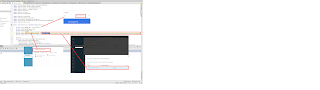
To updated go to Tools->Options->Xamarin->Other and then click on "Check now" which looks similar to diagram below : Once you're down with the download, go through the setup process and close Visual Studio. 

scapy + scapy tls Window installation

Please install Python 2.7, Then prcoeed to the following link  here : Download all the binaries and run it. dnet-1.12.win-amd64-py2.7.exe pcap-1.1.win-amd64-py2.7.exe scapy-2.2.0.win-amd64.exe In addition, you probably need to install WinPcap from the official site Also, if you like to install scapy tls package, you can definitely do so using pip install scapy-ssl_tls This requires that you have installed  Microsoft Visual C++ Compiler for Python  

quick guide babel compiler

Assuming that you already have npm installed, you need to get the following components. npm install babel npm install babel-cli npm install babel - preset - es2015 Go ahead and create a new file called polygon.js using the code below - next, run the following command to generate traditional javascrip (es5 script) babel --presets es2015 polygon.js --out-file poly.js

Push messages from Azure hub notification to android phones.

Image
A summary of steps involve in setting up azure, google developer console and android studio 1. setup google developer console 2. setup azure 3. create android apps 4. test 1. Setup google developer console To setup google developer console, you need a google account.  Please proceed to create one if you haven't already done so. Go to Google developer console . Next click on  "create project " button and fill in your project details. Enter the following, Project name : hubnotification-1195, and press "Create". Next, on the dashboard, click on "API - Enable and manage APIs" Look for "Cloud messaging for Android" and click on it. Next, goto "Credential tab" and click on "New Credential" -> API Key. Select "Server Key" as shown here. Next, provide the following details Name : serverMyNotification And click "create". An API Key will be generated for...

Setup DotNetPeek for debugging any of your 3rd party assemblies

Image
1. Install DotPeek If you have not setup and install .Net Peek, please do so now from here . 2. Setup Symbol server Next setup your Visual Studio IDE. I'm using VS2015. Goto Tool->Optoins->Debugging 1. Uncheck - Enable Just My Code 2. Check - Enable source server support. Add an entry as follows  http://localhost:33417 to VS2015  Tool->Optoins->Debugging-> Symbols tab Let say we are going to step through NInject codes. Lets create an empty project. I'm going to create a MVC project and then use nuget to pull ninject into our project Install-Package Ninject -Version 3.2.2 Next, open dotPeek and add ninject assembly into Assembly Explorer as shown below :- Next, click on Start Symbol server as shown below :- Lets copy and paste some code and start debugging our application. Please create a new file and paste the following codes in it.     class Samurai     {         readonly ...

Scala combinator parser

This is my attempt to get you started with scala combinator parser. It is a very powerful tool that allows you to create your own lexical analysis similar to yacc and other lexer. Area of application includes a) calculator that accept input string as follow "3+2" b) match specific text in a given string like finding "fox" in the string "the brown fox jump over the fence" I'm going to use an example from reference below. Here we are trying to extend our SimpleParser from RegexParser and defined a function called "word" that is basically a regex itself with the purpose of matching a single word. Simple Parser This code is taken from https://wiki.scala-lang.org/ import scala.util.parsing.combinator._ class SimpleParser extends RegexParsers { def word : Parser[ String ] = """[a-z]+""" .r ^^ { _.toString } } In code above, """ means it is a regex.   ^^ mean if  a match is found,...

Converting json instance type and list in Playframework

I found the easiest way to convert your instance to/from json in Playframework is to use the following code: For type instance I'm just making use of Json.writes and Json.reads to do the dirty work. case class CartProduct(id : String , qty : Double ) object CartProduct { implicit val cartProductWrites = Json. writes [CartProduct] // convert to json implicit val cartProductReads = Json. reads [CartProduct] // example - get from post } The code below works too, but a bit too long for me. implicit val cartProductReads : Reads[CartProduct] = ( (JsPath \ "id" ).read[ String ] and (JsPath \ "qty" ).read[ Double ] )(CartProduct. apply _) Somewhere in your controller, you might have the following code to write your instance in json format. def getProduct (productId : String ) = Action { val p = new Product( "Demo" , "Demo App" , 12.0 ) Ok (Json. toJson (p)) } To get back your instance from a HTTP post def...

Debugging Playframework with IntelliJ IDEA

Image
To debug your application with IntelliJ is pretty straight forward. Setup command prompt  1. Run the following command $ activator - jvm - debug 9999 2. You will probably see something like this Listening for transport dt_socket at address : 9999 3. Wait for the command prompt to appear and type  " Run " - If you have your application running, please stop the running process. Setting up your IntelliJ  1.In your IDE, goto Run -> Edit Configuration. Add " Remote " and configure the port to point to 9999.  Example of your configuration could look something like this. Save this configuration. Then run your remote debug configuration and at this point you would need to set your breakpoints. Open up your browser and go to "localhost:9000" and you will hit your breakpoint.

Getting ASP.Net to build and run on your machine

If you're trying to debug through ASP.Net MVC / WebAPI to see how it all glued together, you probably need to download and build it locally from here . You should probably know that, ASP.Net MVC on github runs on DNX. and you need to either install VS2015 Web Developer Tools or set it up manually by following this guide . If you face reference issue, for example Unable to Reference DNX 4.5.1 or DNX Core 5.0, you probably have an installation issue with your VS2015 installation.  Setup your DNX to the latest version and then reinstall VS2015. Yep i think it is stupid but it happened to me. You can always goto the ASP.Net MVC git clone folder to run "build " manually. If you can  build that successfully, then all you have have to do is reinstall VS2015 and then open and build the project using VS2015. After a successful build, you can run a test project to see if ASP.Net MVC is working properly. To test it, run MvcSample.Web project by right clicking it a...

How do you detect if your browser is online?

Answer :) window.navigator.onLine

Generate SqlException with your preferred error code

A quick and dirty way of generating SqlException class SqlExceptionGenerator     {         public static void ThrowException(SqlConnection con)         {             con.Open(); // should be a valid connection             SqlCommand cmd = new SqlCommand("raiserror(50005, 16, 1)", con);             cmd.ExecuteNonQuery();         }     }

spark - sbt build tool

The spark documentation doesn't says (or maybe i missed it) about getting sbt tool if you're trying to build it on Windows. You need this to build, package and run scala code in spark. This tool can be obtained here . Once you have this installed, you can fire up your command / cygwin command prompt and continue building, packing and running your code by following this guide . basically it is just running sbt assembly .

MsBuild CS: 1668 invalid search path lib

There is an easy fix for this issue. (hopefully you didn't try to install VS2008 or Windows SDK),  All you have to do is create the missing directory as stated by blogger here :- http://frazzleddad.blogspot.com/2010/04/fixing-invalid-search-path-for-lib.html

Hibernate - specifying multiple packageToScan in configuration

After placing my hibernate entity in a different jar file, i notice that some of my tables are not created. Finally i figureout that it has to do with my hibernate configuration, specifically packageToScan attribute. With this i can specify multiple jar files that host my hibernate entities (table).

Dynamic Jasper Report Maven

If you want to find out maven repository for Dynamic Jasper and the home page info sounds confusing, try here . In short, what you need to define on your pom.xml is as follows Copied from Dynamic Jasper link for easy reference only. fdvsolution.public http://archiva.fdvs.com.ar/repository/public1/ And the dependency is shown below :

Compiling Plaid for Window

I don't know why am i even compiling Plaid for, maybe it can be a cool language to try out. Anyway, the site documentation works, just that there are a few glitches that i need to handle when compiling for Windows. As stated in the documentation, go 1. Grab TortoiseSVN 2. Check out the source https://code.google.com/p/plaid-lang/ , into a directory of your likings, let's say c:\java\plaid 3. Include the followings in your path : C:\java\plaid\fastbuilder;C:\java\plaid; 4. Goto C:\java\plaid\tests and run ant build . You should be able to compile successfully. 

Building spark is easy

I was amazed how easy it is to build S park on Windows. Just have to 1. Download and install Scala 2.9.2. Ensure your SCALA_HOME is accurately setup. 2. Also make sure you have javac available in your environment path. 3. Download spark (0.7.0). Spark uses sbt (simple build tool and it is shipped together with the code. After you extracted spark source code, goto the root folder and run sbt/sbt package And you're done! Awesome.

Jquery UI Tab causes Ajax Options null exception

When you are loading your jquery UI tab in your browser and at the same time you enable your firebug, you might run into this problem - ajax options is null. No immediate fixes, just gotta turn off your firebug during jquery ui tab loading process. :(

Spring MVC ExceptionHandler gets easier.

Spring MVC exception handling gets easier with @ControllerAdvice with the release of Spring 3.2.1. You can annotate your class as shown below and add a method to handle exception @ControllerAdvice public class AppCoreController { @ExceptionHandler(Exception.class) public @ResponseBody RequestStatus handleException(Exception exception) { RequestStatus errorStatus = new RequestStatus(); errorStatus.setMessageCode(-999); errorStatus.setMessageDescription(exception.getMessage()); return errorStatus; } } Please note that RequestStatus is a custom controller and yeap we are returning an class / object type as oppose to just String data type.  These add exception handling capabilities to all your existing controller.